 FroKnowsPhoto
Stunning Transformations
See the magic for yourself. Drag the slider to compare the before and after.
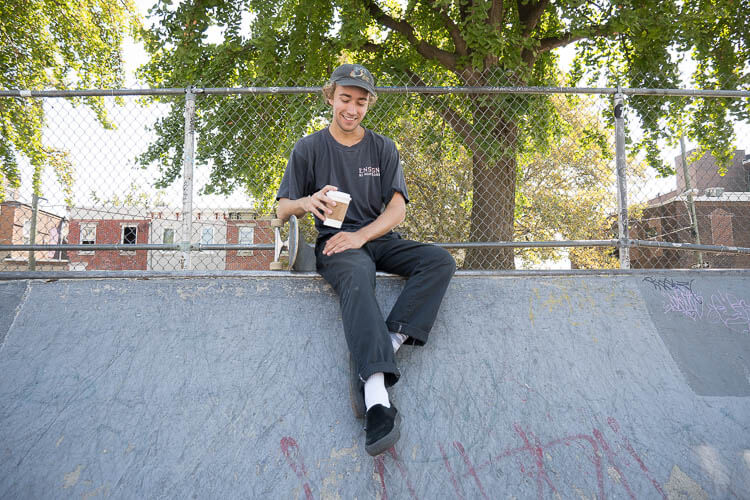
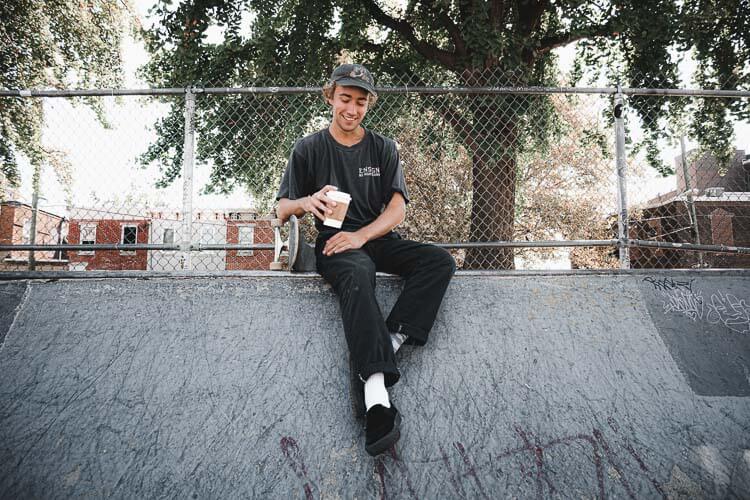
Cinnamon Toast Crunch
Need a quick bite? Cinnamon Toast Crunch is bound to fulfill your hunger with tan skin tones and muted greens—a personal favorite of ours!
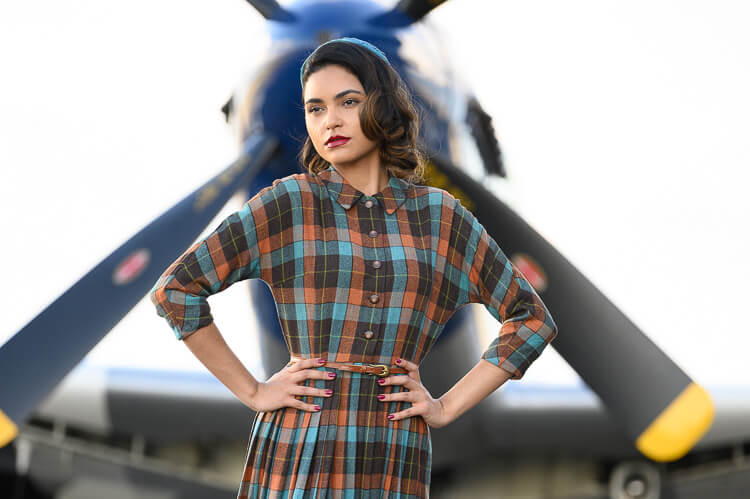
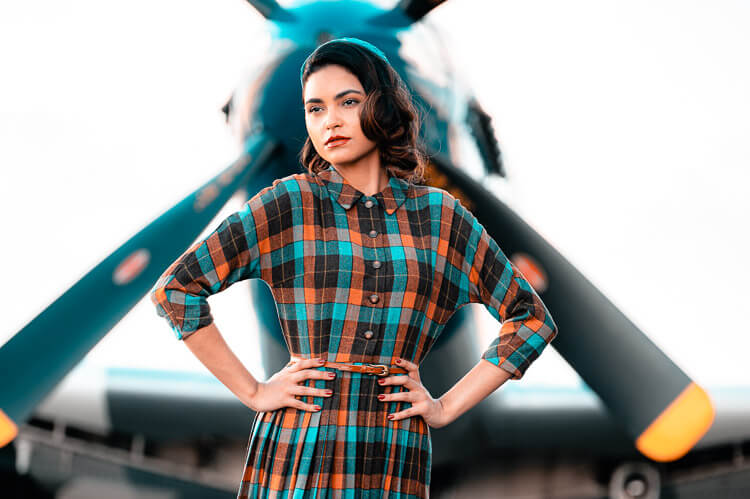
Caribbean Creamsicle
Seeking that modern "teal & orange" look? Caribbean Creamsicle will top off your photo without overdoing skintones with its contemporary finish.
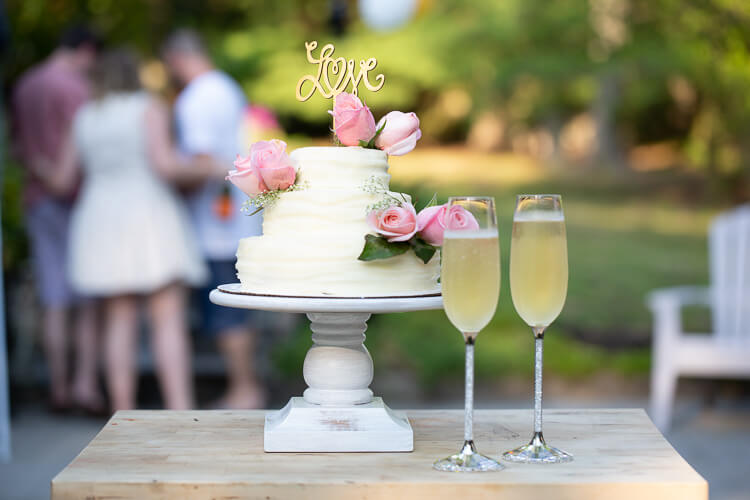
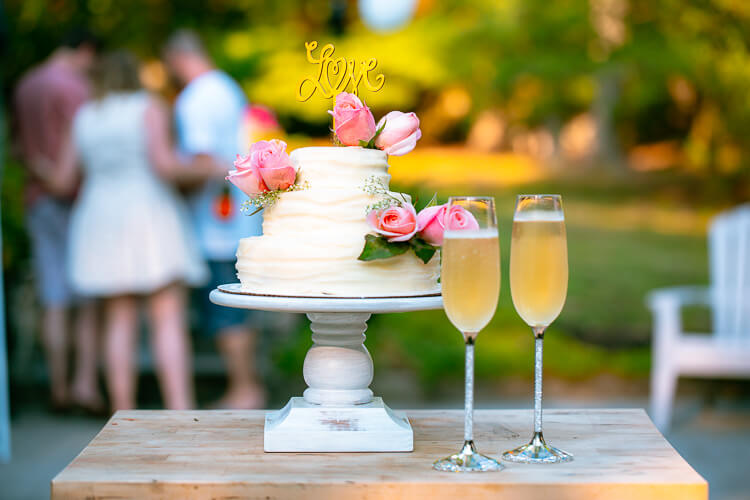
Golden Grahams
Warming up any photo like a morning sunrise, Golden Grahams is sure to ignite any cool image with mild accents of yellow and orange.


Bob Ross
Looking for fluffy clouds and a punchy color palette? Bob Ross will turn any photo into a 'happy little accident' with its vibrant colors and softened textures. Not only is it perfect for landscapes, but people too!
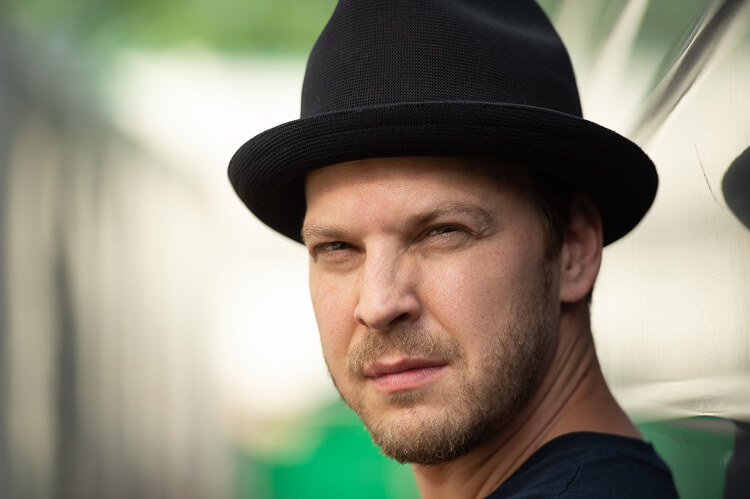
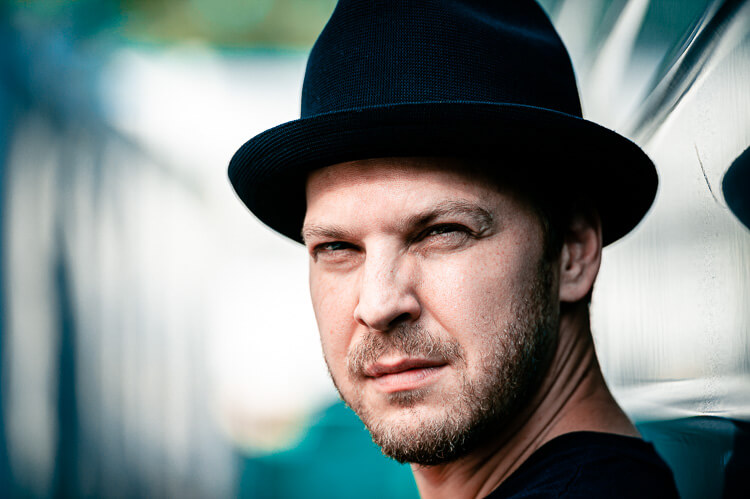
Apollo
Freezing any image it hits, this icy preset will polarize your photo! Complete with hints of red and deep blues, Apollo will take your photo into deep space and back with its cold tones.
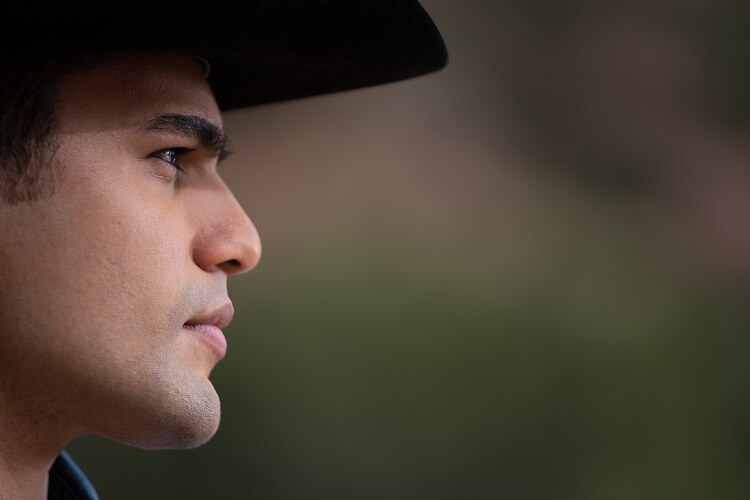
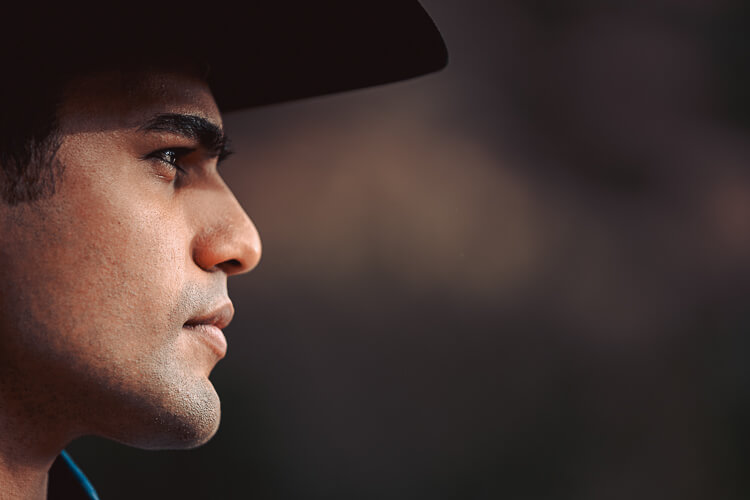
Burnt Sienna
Filled with muted rustic tones, Burnt Sienna will make your photo extra crispy with its subtle hints of creamy red and orange undertones.
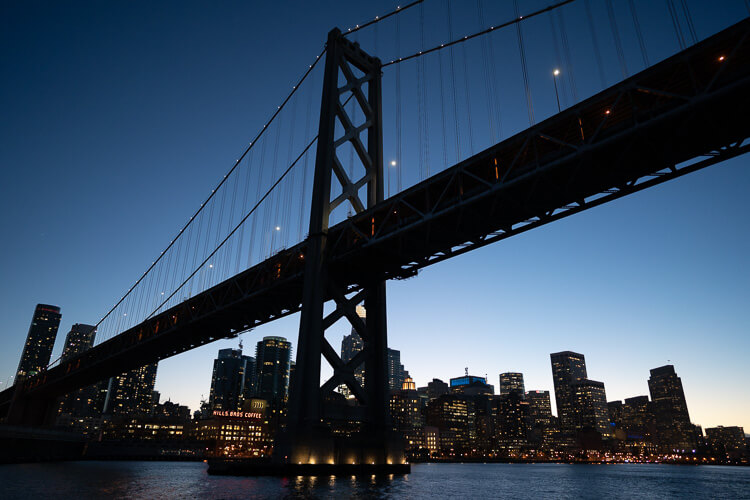

AC/DC
AC/DC will electrify any photo it touches! Filled with a shocking punch of color and deep textures, AC/DC will certainly jolt your photo!
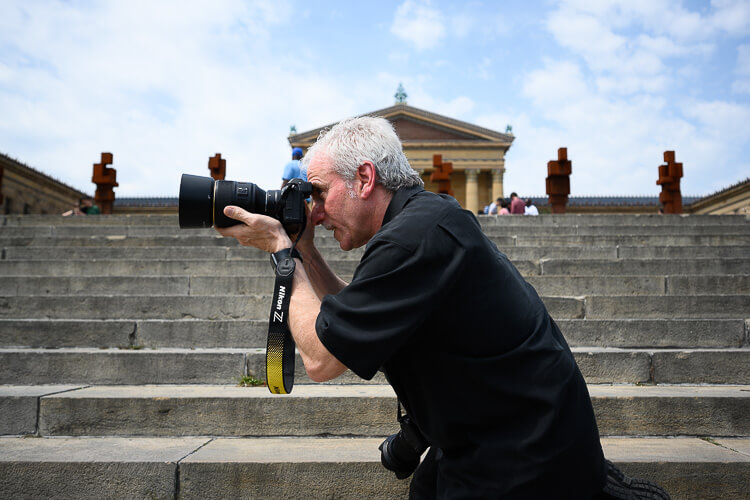
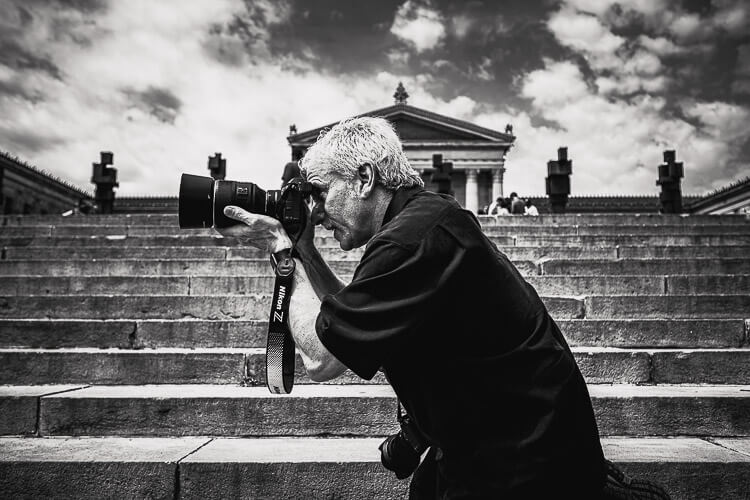
Double Stuffed Oreos
Served best with a glass of milk, Double Stuffed Oreos will rip out the color of your photo, leaving it with textured crunchy tones, complete with a splash of contrast.
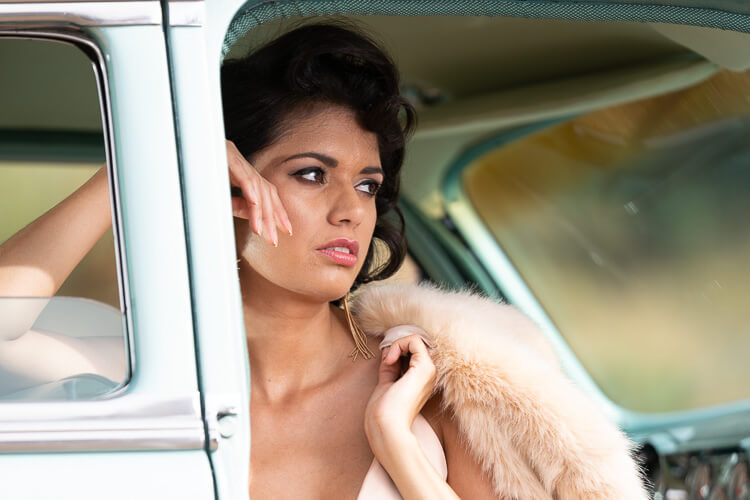
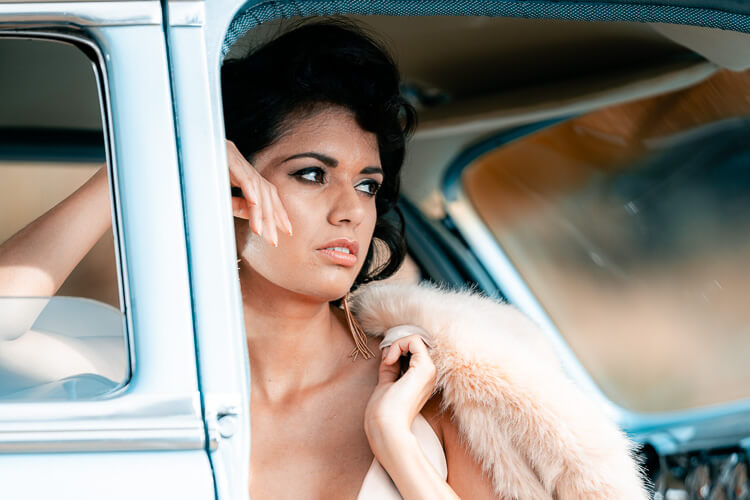
Snow White
Have seven dwarfs working on your photo and it's still not up to par? This magic mirror of a preset will 'perk up' your photo with a cool white look, revitalizing any portrait or landscape.


Charlie Brown
Good Grief! Charlie Brown kicks off with brown peanut-like tones, guaranteeing you'll never miss that football again!
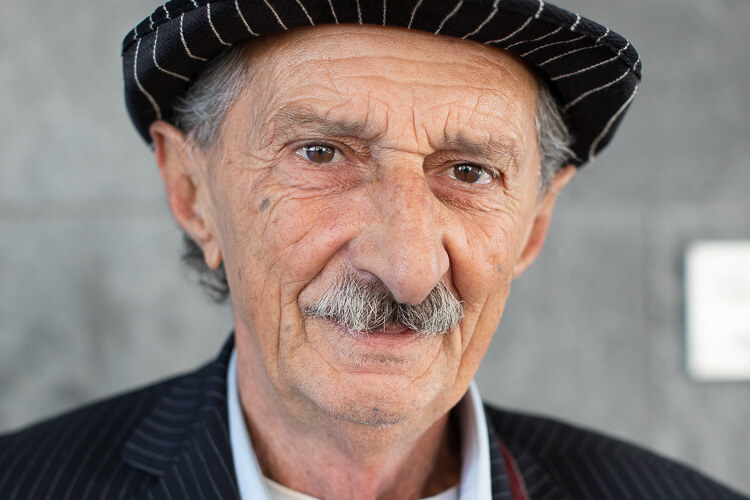
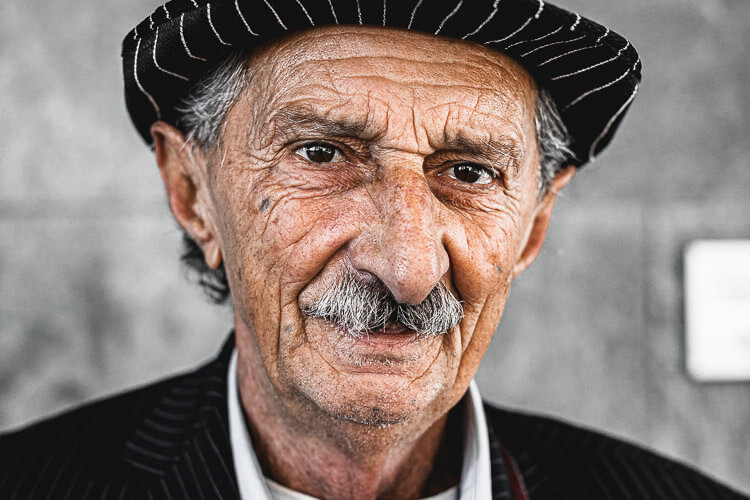
Gritty
Rough and tough like Philly's favorite mascot, Gritty is bound to destroy anything in its path with its coarse, industrial consistency.


Matte Black
For the Instagrammer seeking that faded, vintage look, Matte Black is here to put a dull sheen over your photo, while still retaining contrast.
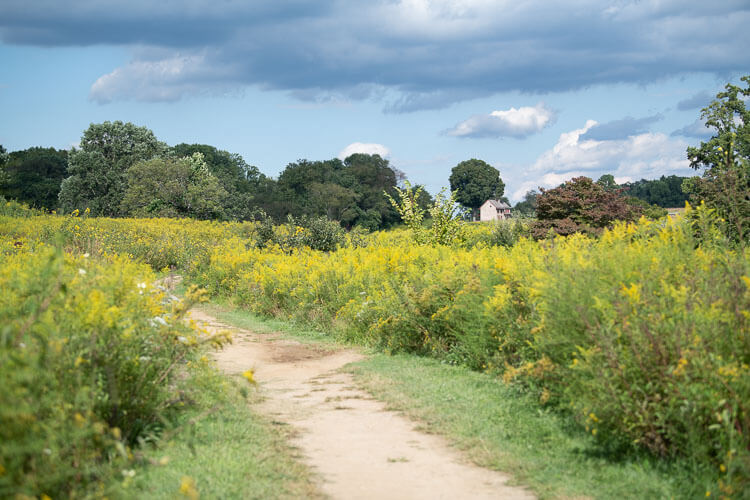
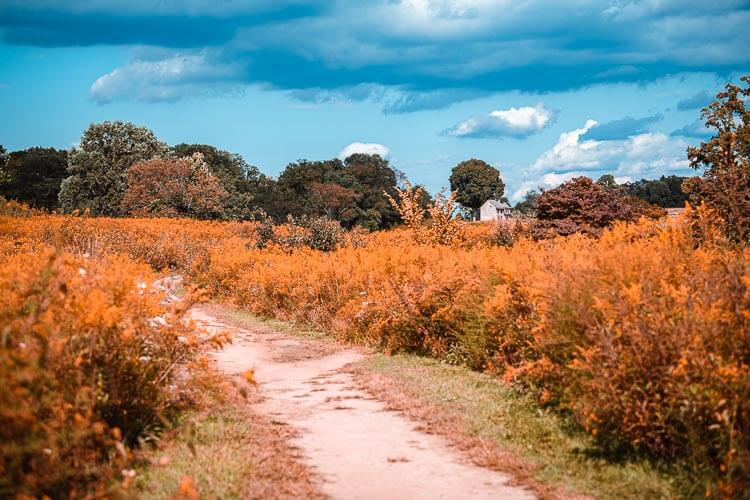
Harvest Moon
Sunsets in Autumn. Enough said.
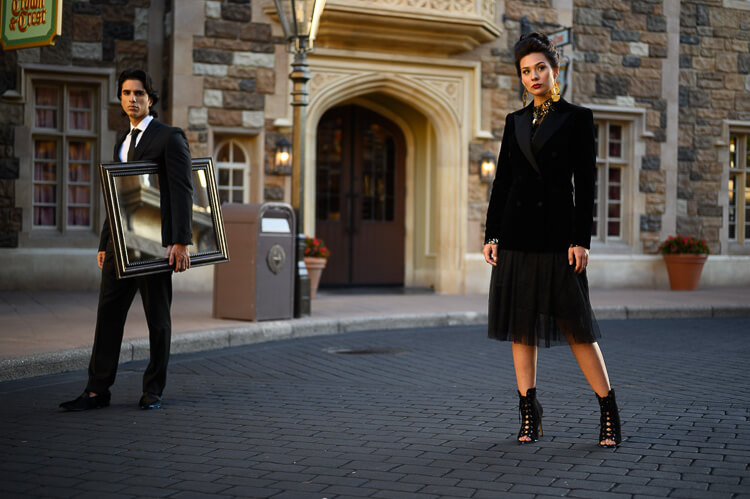
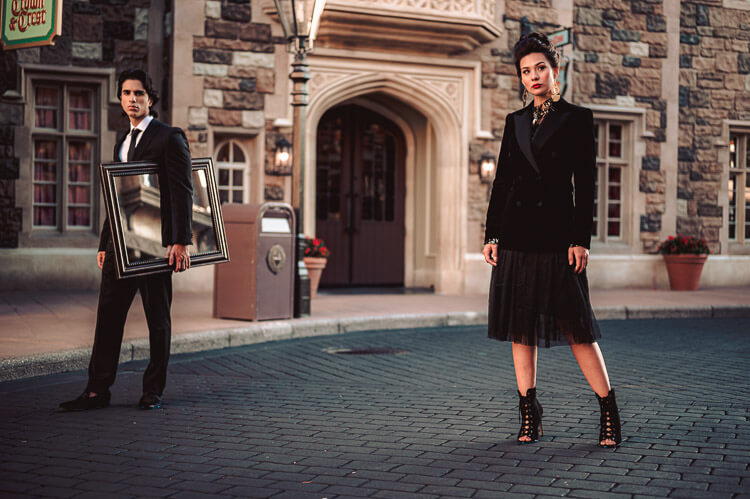
Dorothy
'There's No Place Like Home!' Filled with subtle hints of ruby red undertones, Dorothy will bring you right back to Kansas with just one—ahem, 'three clicks'…
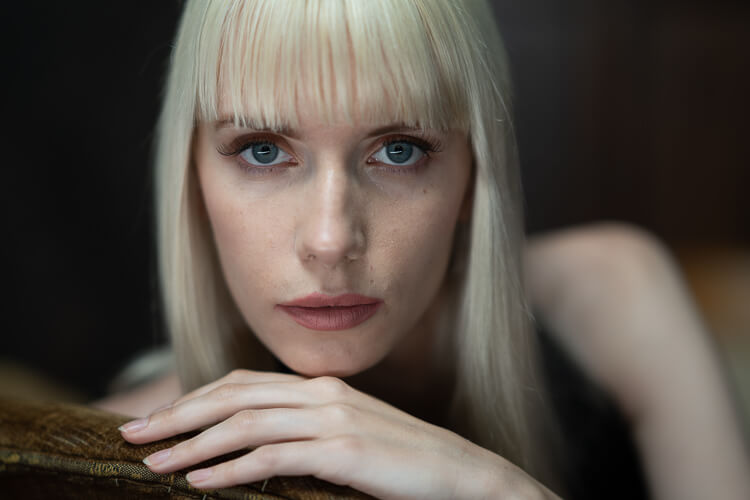
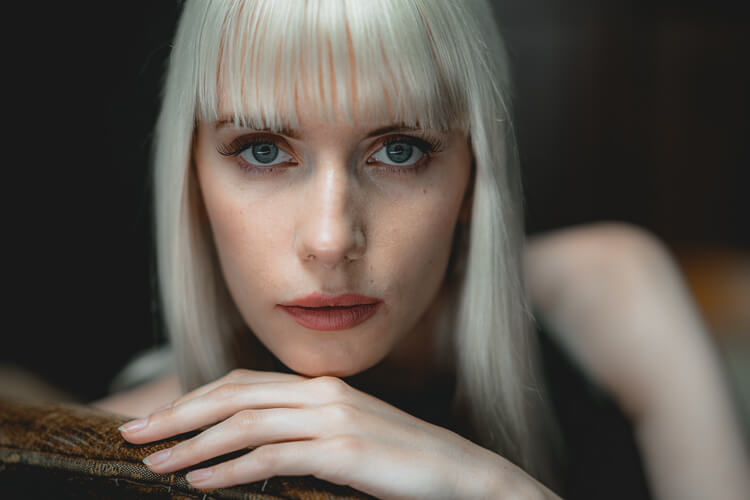
Charmin
Smooth and soft like Charmin, this preset will transform any portrait into the perfect photo with a very muted, clean modern look.

What's Inside?
This pack is loaded with everything you need to take your photos to the next level.
-
15 Professional Presets
For every style and situation, from portraits to landscapes.
-
Mobile & Desktop Compatibility
Use them in Lightroom Classic, CC, and the free Mobile app.
-
One-Click Editing
Apply stunning effects instantly without complex adjustments.
-
Installation Guide
A step-by-step PDF guide to get you started in minutes.
Don't Just Take Our Word For It
See what other photographers are saying about FroPack 4.
"The presets are a game-changer. My editing workflow is so much faster now, and the results are consistently stunning. I can't imagine editing without them."
Jessica Evans
Adventure Weekly
"As a travel photographer, I need my images to pop. These presets do just that, bringing out the vibrant colors of every location I visit. Highly recommended!"
Ethan Rodriguez
Wanderlust Digital
"I'm a beginner, and these presets have been an incredible learning tool. They've helped me understand the fundamentals of editing while giving my photos a professional touch."
Laura Chen
Foodiegram
"I was hesitant to buy presets, but these are worth every penny. They've helped me develop a consistent style and have saved me countless hours in front of the computer."
Sarah Johnson
Portrait Pro
"The black and white presets in this pack are simply timeless. They give my portraits a classic, emotive feel that my clients adore."
Mike Thompson
Urban Explorer Mag
"The customer support is as fantastic as the presets. I had a small issue with installation, and they were quick to help me resolve it. A+ service!"
Chris Taylor
Black & White Moments
Get Instant Access to FroPack 2
Choose the pack that's right for you.
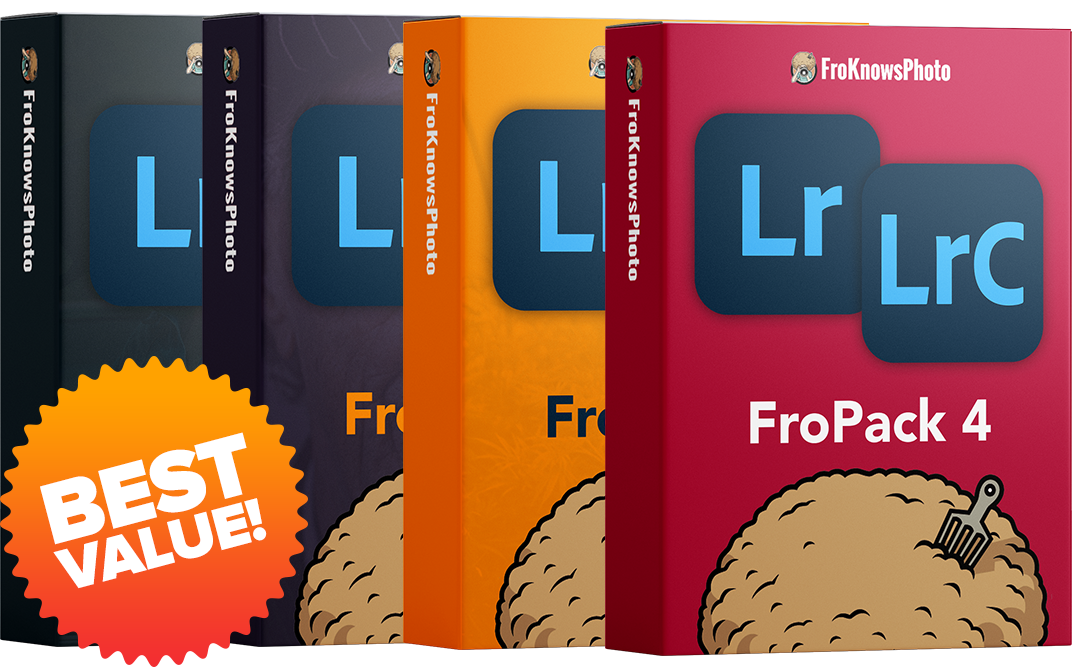
FroPack 1-4
BUNDLE (58 presets)
(Normally $200)
- 58 Professional Presets
- Mobile & Desktop
- Instant Download
Save $80 vs buying separately!

FroPack 1, 2, & 3
BUNDLE (44 presets)
(Normally $150)
- 44 Professional Presets
- Mobile & Desktop
- Instant Download
Frequently Asked Questions
In the top left-hand corner of the Develop module, there is a new 'Amount' slider that you can slide to adjust the overall intensity of the preset. You can also go in and adjust each individual slider on the right-hand of the screen. This option is recommended for advanced users.
Yes, you can apply a standard preset and then apply the Adaptive preset on top of it. It's recommended to apply the standard preset first, and not the other way around.
There are two ways to adjust the Adaptive Presets: You can either use the slider in the top left-hand corner of the Develop module to adjust the overall intensity of the preset, or you can adjust the individual masks by selecting the masking option (circle) at the top of the Basic adjustment panel on the right-hand side. Here you can turn off and on and tweak each individual mask.
No, these presets are specifically designed to only work in the Adobe suite of photo applications including Lightroom Classic, Lightroom, Photoshop and Adobe Camera Raw.
Please check the spam or promotion folder of your inbox. Allow 1-3 minutes for digital delivery.
The latest update to Lightroom Classic and Lightroom CC made it very easy to install presets. Click the '+' button that's next to the presets folder in Lightroom. Next, find the zip file that includes the presets either on your desktop or in your 'Downloads' folder and select it. Once installed, head on over to the 'Develop' module and simply click the preset you would like to apply to your image and voila.
Yes, these presets will work on JPEG's, however they were designed to specifically work with a RAW file format. If applying to a JPEG image, the photo may appear to look 'overcooked' and you may need to adjust the preset accordingly.
In order to install the presets properly, you must download and install the presets on the desktop version of Lightroom CC and then sync them.
Yes, these presets will work on files taken with or stored on your smartphone. Note that they will work on JPEG's, but they were specifically designed to work best on RAW & DNG images. To sync the presets, you must have an Adobe CC subscription. You will need to import them into Lightroom CC and turn on syncing to sync them to your smartphone.
It's possible if your image is exposed perfectly that with one click it might look perfect. It's best to adjust your photo accordingly to achieve the ideal exposure and white balance before applying a preset since these presets are based on 'perfect' exposures and white balances. Keep in mind the goal of these presets is to give you a great starting point with your editing.
Not every photo will look good with all presets. Some presets work really well with only minor tweaks needed, whereas other presets are designed for a specific tone, color or contrast, which means it may work for some, but not for others.
Make sure you don't click 'update with current settings'. If you like your tweaks, you can simply click the '+' button next to presets and 'create' a new one based on your adjustments. You can even combine presets if you like certain looks from one, but colors from another.
Yes, once you download the zip file to your computer you can then import the presets into Lightroom.
No, you need to be using Lightroom Classic CC (7.5 & up) in order to install these presets. The standalone desktop version of Lightroom Classic v6.0 will not work since the older version of Lightroom uses a different file format for presets.
These presets were designed specifically for Lightroom Classic CC and Lightroom CC, but can also be installed in Photoshop CC and Adobe Camera RAW.
The presets are non-refundable unless there are valid reasons. For example 'I bought them twice by accident'.
Have More Questions?
Contact us at: Support@froknowsphoto.com
Get Instant Access to FroPack 2
Choose the pack that's right for you.
FroPack 1-4
BUNDLE (58 presets)
(Normally $200)
- 58 Professional Presets
- Mobile & Desktop
- Instant Download
Save $80 vs buying separately!
FroPack 1, 2, & 3
BUNDLE (44 presets)
(Normally $150)
- 44 Professional Presets
- Mobile & Desktop
- Instant Download